GENESIS Sarawak: Step-by-Step Foreign Worker Application Guide (2026)
Citra Excel

GENESIS stands for Gateway and Employment for Non-Sarawakians via Sarawak's Integrated System. It is the Sarawak Government's umbrella platform that coordinates the management and issuance of all foreign-worker passes, licences, and approvals for non-Sarawakians working in the state. Within GENESIS sits ALIANCE, the application and submission module — and within ALIANCE sit four submodules covering each worker category: SANSOLS, HAVEN, EXPRT, and eVDR.
Where employers get lost is the order — which submodule handles which step, and what has to clear before the next one will accept your file. Get the sequence right and a PLKS moves; get it wrong and you wait. Which submodule your application lands in depends on the worker category, and a Sarawak work permit agent files across all four.
What GENESIS Is
GENESIS is the centralised, Sarawak Government-regulated platform for the management and issuance of all government permits, visas, and licences for foreign workers in Sarawak. It is the umbrella under which the application engine — ALIANCE — and its category-specific submodules operate as one coordinated system.
The portal lives at genesis.sarawak.gov.my; the ALIANCE submission module is reachable at aliance.sarawak.gov.my. ALIANCE itself contains four submodules — SANSOLS, HAVEN, EXPRT, and eVDR — and the right one is selected based on the worker category at the time of lodgement.
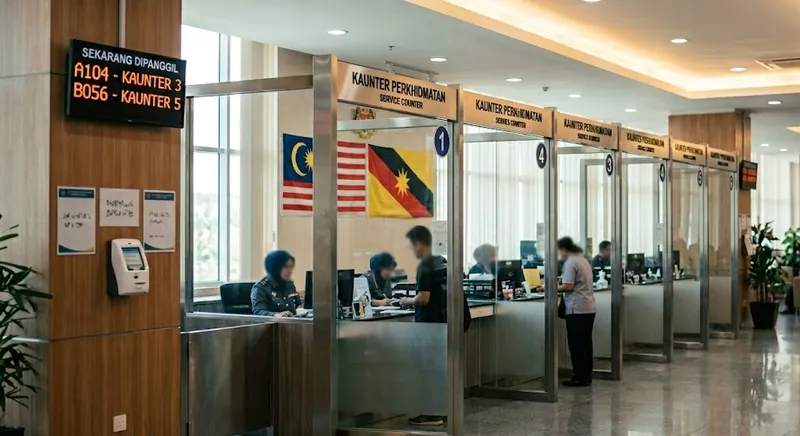
For physical, in-person matters — endorsements, biometric registration, document verification — applicants attend an Immigration & Labour Integrated Centre (ILC). The official GENESIS page lists five ILCs: Kuching, Sibu, Bintulu, Miri, and Mukah.
ALIANCE and Its Four Submodules: SANSOLS, HAVEN, EXPRT, eVDR
ALIANCE is the GENESIS module that handles the actual application and submission flow. It contains four submodules — one for each worker category. Choosing the right ALIANCE submodule is the first decision in any lodgement:
| Submodule | Full name | Used for |
|---|---|---|
| SANSOLS | Sarawak Advanced Non-Sarawakian Online Labour System | General workers, skilled workers — manufacturing, plantation, construction, services |
| HAVEN | (Foreign Domestic Helper module) | Foreign Domestic Helper (FDH) applications |
| EXPRT | (Expatriate module) | Expatriate Personnel — Employment Pass tier |
| eVDR | Electronic Visa with Reference | The visa-issuance module that authorises a foreign worker's entry into Sarawak once the Labour Licence has been approved and paid |
In practice, SANSOLS is the high-volume entry point for most general and skilled foreign workers. HAVEN is the family-side portal for foreign domestic helpers from the nine approved source countries. EXPRT is the executive / professional / managerial tier — the federal Employment Pass equivalent on the Sarawak side. eVDR handles the entry-visa step once the Labour Licence is approved and paid and the worker is ready to travel into Sarawak.
For a deep look at the physical counter that backs the platform, see our ILC Kuching guide.
Step 1: Registration and Account Setup
Before any application can be lodged, the employer entity needs an account on the platform. The first screen is the Create Company form — these are the fields it will ask for.
Required fields:
- Company Name — as registered with SSM
- Company Type — selected from the dropdown (Sdn Bhd, Bhd, Enterprise, Partnership, etc.)
- Tax Identification Number (TIN) — issued by LHDN
- Company Email — official correspondence email for the entity
- Phone Number — main company line
- Address Line 1 — Sarawak business address
- Postcode, District, Division, State — full Sarawak address breakdown
- MSIC Industry — the standard Malaysian industry classification matching your activity
- Supporting Document — PDF, JPG, or PNG up to 8 MB (typically your SSM business profile or premise licence)
Optional fields:
- Logo — company logo upload
- Company New Registration Number — the new SSM format (post-2019)
- Company Old Registration Number — the pre-2019 SSM format, for entities that still operate under it
- SST Registration Number — only if the company is SST-registered
- Address Lines 2 and 3 — for longer addresses
Account verification typically takes a few business days. First-time registrants undergo a more thorough review than established Sarawak employers — the same pattern as the AP review itself.
Step 2: Pre-Application — Hiring Outcome Report
Before lodging an AP through the platform, employers must demonstrate genuine local-recruitment effort.
The Hiring Outcome Report (HOR) requirement involves:
- JobSarawak advertisement — listing the position with sufficient detail
- Regional radio advertisement — broadcast listing of the vacancy
- PERKESO open interview confirmation — confirming no suitable local candidates were available
The HOR typically takes 16 to 20 days. Once it is issued, you carry it into the AP submission. Without HOR, the AP cannot proceed (with limited exemptions for key posts, shareholders, specialists, and cross-postings).
For details on the HOR step, see our AP quota guide.
Step 3: AP Lodgement via the Right ALIANCE Submodule
For manufacturing, plantation, construction, and services workers — lodge through SANSOLS:
- General Worker classification or Skilled Worker classification (set in the application)
- Source-country selection — default list is Indonesia, India, and the Philippines. Other source countries can be applied for on a case-by-case basis.
- Sector-specific document upload (manufacturing licence, MPOB cert, CIDB cert, etc.)
- Quota request based on local-to-foreign ratio benchmark for the sector
For expatriates and Employment Pass applications — lodge through EXPRT:
- Position justification (why a foreign professional, not a local hire)
- Salary tier and qualification documents
- Company financials supporting the position
Lodgement, document upload, and status tracking happen through the ALIANCE module within GENESIS — accessible at genesis.sarawak.gov.my or directly at aliance.sarawak.gov.my. The submodule choice (SANSOLS, HAVEN, EXPRT, or eVDR) is set at the time of lodgement based on the worker category.
Step 4: Labour Licence and Permit Issuance
Once the AP is approved through the appropriate submodule, the application moves to:
- Source-country processing — for Indonesian helpers via SIPERMIT/KJRI Kuching, for Filipino helpers via POLO, for other workers via their respective sending-country bodies
- Labour Licence application with JTKSWK — submitted with the required supporting documents via the platform
- eVDR (e-Visa Dengan Rujukan) — applied online via the eVDR submodule within ALIANCE once the Labour Licence is approved and paid, to authorise the worker's entry into Sarawak (for workers still in source countries)
- Worker entry into Sarawak — under a Visit Pass (Temporary Employment), endorsed for the specific employer and sector
The platform tracks each of these milestones — applicants can log in and see where the file stands at any given time.
Step 5: Sarawak Health Checkup via SAFHIS
Once the worker enters Sarawak, they must complete a state-approved health screening before the work permit can be issued. The booking is made through SAFHIS — the Sarawak Foreign Worker Health Information System — which operates as a SANSOLS sub-module and is also accessible from the ALIANCE portal.
- Book the appointment at a SAFHIS-registered panel clinic in the worker's intended division (Kuching, Sibu, Bintulu, Miri, etc.)
- Worker attends the screening — physical exam, blood tests, chest X-ray, and the standard FOMEMA-equivalent panel
- Result is uploaded to SAFHIS — clinics submit the Fit / Unfit outcome directly into the system
- A Fit outcome unlocks the next step. An Unfit result is final and cannot be appealed — it requires a Check Out Memo from JIMS and repatriation to the source country
Booking promptly after entry matters — the screening is mandatory within 30 days of arrival, and the appointment is booked through SAFHIS.
Step 6: Work Permit Processing at JIMS for PLKS
With a Fit health result on file, the application moves to JIMS (the Jabatan Imigresen Malaysia Sarawak's processing system) for issuance of the PLKS — Pas Lawatan Kerja Sementara — which is the actual work permit. JIMS verifies the worker's documents against the AP and Labour Licence already approved through GENESIS, and prepares the case for endorsement.
Most of this step is back-office; the visible output is the readiness notification telling the employer or agency to attend the ILC for the in-person endorsement covered next.
Step 7: ILC In-Person Steps
Some steps cannot be completed online. Workers and employer representatives attend an ILC — the official GENESIS page lists five: Kuching, Sibu, Bintulu, Miri, and Mukah — for:
- PLKS sticker endorsement — the actual permit affixed to the passport
- Biometric registration (NSIC) — fingerprints and photo for the Non-Sarawakian Identity Card
- Document verification — counter-side check of the file before final endorsement
- Personal Bond / Security Bond posting — finalised at the counter
In-person attendance is the moment when the digital file becomes a physical pass. Online lodgement, in-person stamping — that is the pattern.
Step 8: Status Tracking and Renewals
The platform persists across the worker's tenure with you. From the same account, you can:
- Track active passes for all workers under your sponsorship
- Lodge renewal applications before pass expiry (renewals lodged after expiry are problematic)
- Lodge cancellations when a contract ends
- File abscondment reports when a worker disappears
- Apply for additional source-country approvals if your need expands beyond the default list
- Update employer-side records — premises, accounts, authorised representative changes
Most employers underuse this — they treat the platform as application-only and forget that the renewal management lives there too. Setting calendar reminders 60 days before any pass expiry is a simple discipline that prevents lapse.
Common Issues and How to Resolve
A short list of issues most first-time applicants run into:
- "Submodule routing rejected" or "wrong category" — the application went through SANSOLS when it should have gone through HAVEN, or vice versa. Re-lodge through the correct submodule.
- Source country not on default list — apply through the case-by-case approval pathway. The platform allows it; the AP will be reviewed individually.
- Document upload size limits — keep files under the platform's per-file cap. PDF is preferred over image formats for multi-page documents.
- Account verification stuck — usually a missing or mismatched SSM detail. Resolve through admin.genesis@sarawak.gov.my.
- Status not updating — file may be in clarification queue. Check messages tab; counter staff sometimes request a missing item without escalating to "rejected".
For most genuine difficulties, contacting +60 16-811 0799 or admin.genesis@sarawak.gov.my during office hours moves things faster than re-lodging.
Frequently Asked Questions
Is GENESIS the same as SANSOLS?
No. GENESIS is the umbrella platform. ALIANCE is a module within GENESIS — the application and submission engine. SANSOLS is one of four submodules within ALIANCE; HAVEN, EXPRT, and eVDR are the others, each handling a different worker category.
Where do I actually submit my application?
Lodgement happens through the ALIANCE module within GENESIS. ALIANCE has four submodules — SANSOLS, HAVEN, EXPRT, and eVDR — and you select the one matching the worker category. The GENESIS portal is at genesis.sarawak.gov.my and ALIANCE is reachable at aliance.sarawak.gov.my.
Do I need a separate account for each ALIANCE submodule?
No. One employer account on GENESIS covers all four ALIANCE submodules — SANSOLS, HAVEN, EXPRT, and eVDR. The submodule is selected at application time, not at account-creation time.
What if my source country is not on the default list?
The default list — Indonesia, India, the Philippines — covers most cases. For other source countries, the AP can be applied for on a case-by-case basis. The platform supports this; expect a more thorough review for non-default sources.
Does the platform replace the ILC counter?
No. The platform handles online lodgement, status tracking, and document submission. ILC handles the in-person verification, biometric registration, and PLKS endorsement steps. The two work together — they are not alternatives.
Can I use a licensed agency to lodge through the platform on my behalf?
Yes. Most Sarawak employers use a licensed agency for lodgement, especially for first-time applications and complex sectors. The agency uses your authorised representative credentials or its own delegated access.
References
- GENESIS portal — genesis.sarawak.gov.my
- ALIANCE submission portal — aliance.sarawak.gov.my
- SANSOLS — sansols.sarawak.gov.my
- Jabatan Tenaga Kerja Sarawak (JTKSWK)
- Jabatan Imigresen Malaysia Sarawak
- Immigration Act 1959/63 (Act 155), Part VII — Sabah and Sarawak
- Sarawak Labour Ordinance (Cap. 76)
Our website and its contents are provided for general information purposes only and nothing on this website or in its contents is intended to provide professional advice. Please contact us at hello@citra-excel.com or +6011-1113 8685 for more information.
Need help with foreign worker recruitment?
Contact Citra Excel for a free consultation.